Adjustment WSP Calculator
The program "WSP Calculator" allow to set-up the output of the values of properties for different units. For each of calculated properties exist some available units. This unit may be selected from the list (in right from value). The program with one of the version of units showed in picture 1.
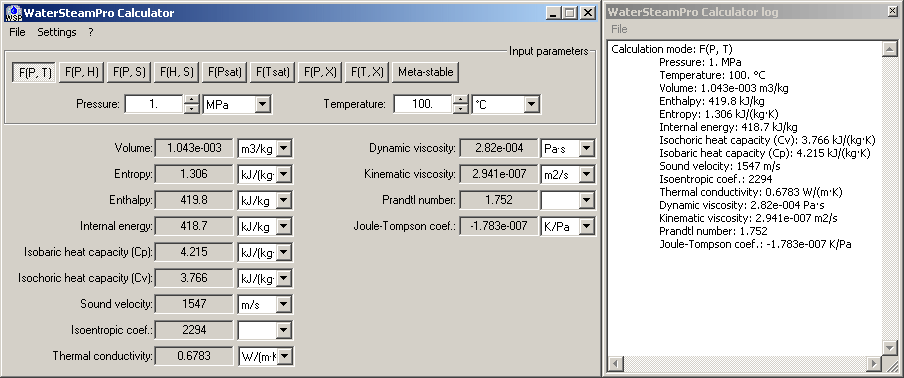
Pic. 1. Main window of the program WSP Calculator
Also in WSP Calculator may be setting-up next features:
- Displayed digits count. Adjustment available through menu "Settings\Displayed digits count". The range - from 1 to 15.
- Internal tolerance in WSP functions. Adjustment available through menu "Settings\Internal tolerance".
- Mode of the check of the range of arguments. Available through menu "Settings\Check input range mode".
- Mode of the made result more precision. Available through menu "Settings\Make result more precision".
- Show calculation low window. Available through menu "Settings\Show log window".
- Enable calculation logging. Available through menu "Settings\Enable logging".
Also you can see the units in WSP calculator through menu "Settings\View units information".